User Guide
What is Solvent-Configr?
Configr is a configuration platform and environment for teams. Configr uses object graphs instead of static file formats such as JSON,YAML,XML..etc to provide powerful capabilities not possible using traditional approaches.
Beyond obvious applications of configuration such as those we are used to seeing being expressed in YAML, JSON, XML..etc virtually anything can be modeled as an object, it turns out having a robust object construction platform such as Configr lends itself to applications for many other solutions.
Configr forms the basis for other configuration oriented solutions such as the Solvent-Lowcodr platform for building lowcode solutions.
At it's core, Configr object graphs are just a bunch of smart objects calling other smart objects, in other words objects having references to other objects, thus forming an object graph.
Configr turns the standard IDE of the Solvent platform into an object manupilation environment. In otherwords while files and folders are the core artifacts of the standard IDE environment, objects are the core artifacts of the Configr environment.
Managing Hierarchical Configuration
Whether you're doing DevOps,Machine Learning or Web development, chances are you maintain configuration in the form of hierarchical formats such as JSON, YAML, XML..etc A key design goal for many hierarchical information formats is to strike a good balance between machine readability (parsing) and human readability.
Unfortunately no matter how human readable these formats are, they quickly become a challenge to deal with once the structure of the information becomes complex. Editing complex JSON or YAML files is a challenge. Through hyper-navigation, Configr provides a number of features to make managing complex hierarchical information easier.
For instance we're able to use Configr as the basis for the Lowcodr platform to build applications visually using frameworks such as React, Vue, Vuetify, Bootstrap and many others.
Object Graphs
Configr is based on an object graph technology which allows a user to construct object graphs of any complexity or composition. Configr can be used for everything from DevOps, ML, product catalogs, taxonomy creation...etc
Configr object graphs can be integrated directly into applications. For instance a developer can use an object graph representing a product catalog to populate an e-commerce site. Because the construction of object graphs isn't based on any particular syntax, non-technical users can work side-by-side technical people, allowing all parties to contribute to the creation of products/services on a single platform.
Note that Configr is a product built on top of the Solvent WebApps product platform, specifically, Configr is based on the Smart Object technology of the Solvent platform. This means the Configr documentation only covers functionality specific to Configr. Users should consult the Solvent WebApps product documentation.
Creating and managing objects.
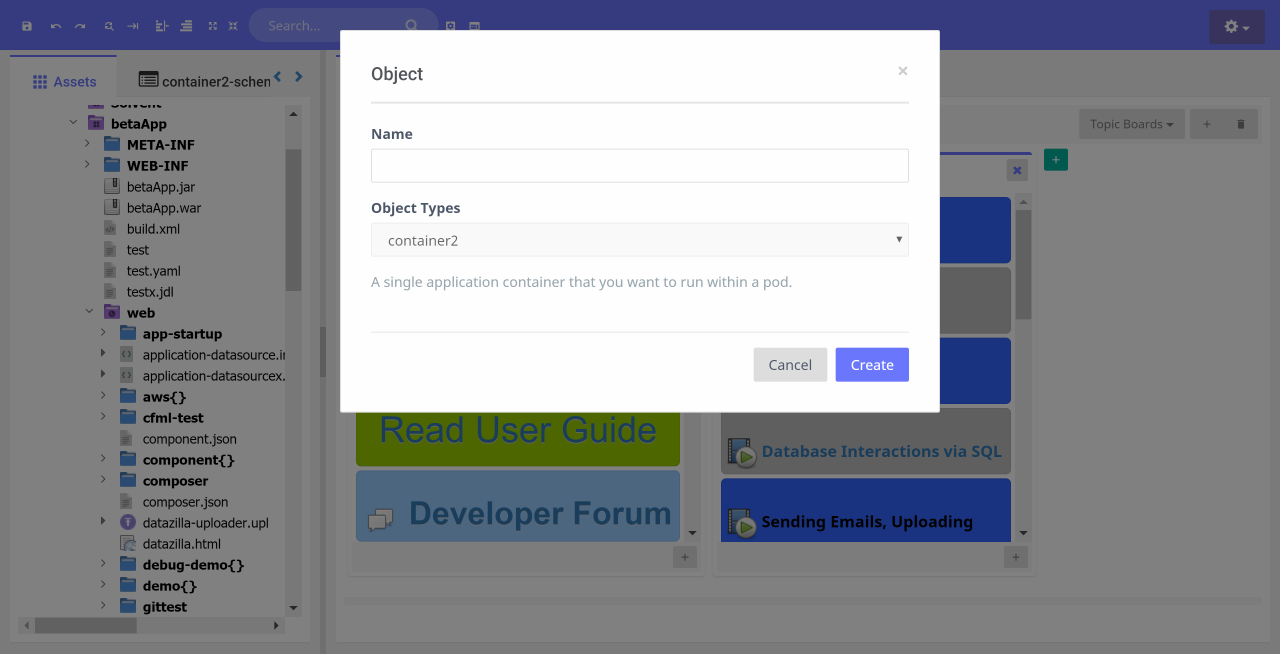
To create a new object, right-click on target folder and do New==>Object Structure==>Object.
Once an object has been created, fields can be added including composition of other objects.
Importing Configurations
Users can import existing configurations into Configr, these can be either JSON or YAML files.
To import a configuration, download the static file then, right click on the file and do Objectify.
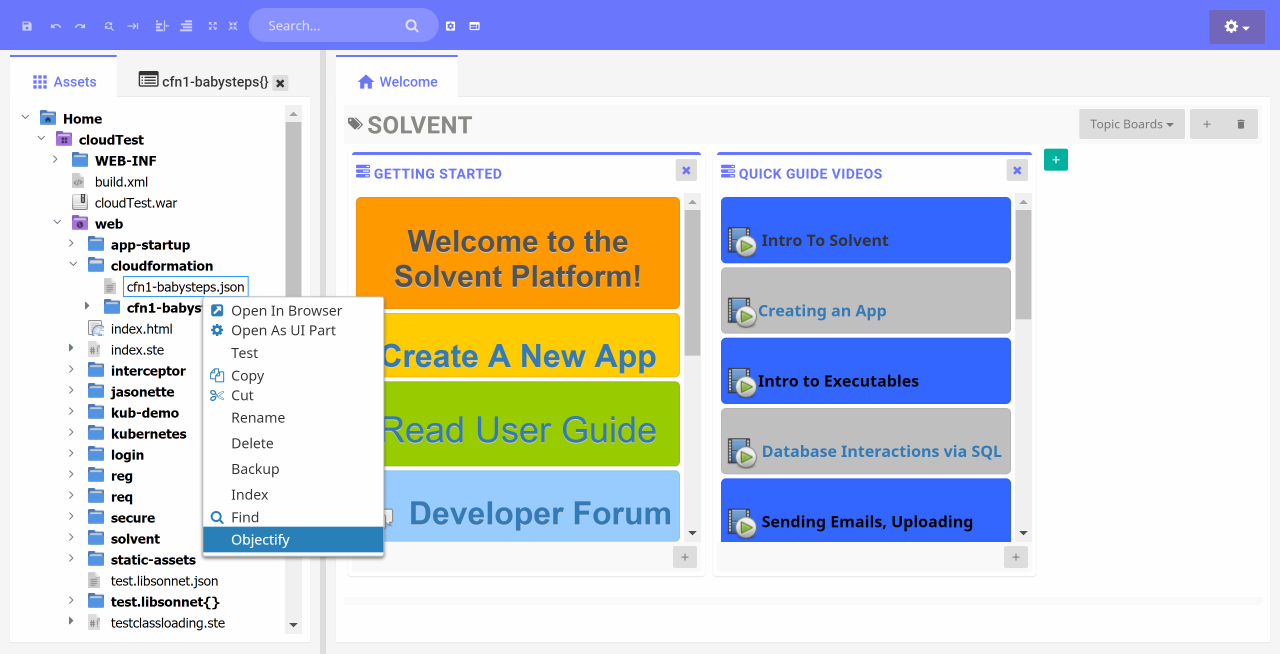
Note that import operations may take a while depending on the size of the configuration.
Loading Object Graphs
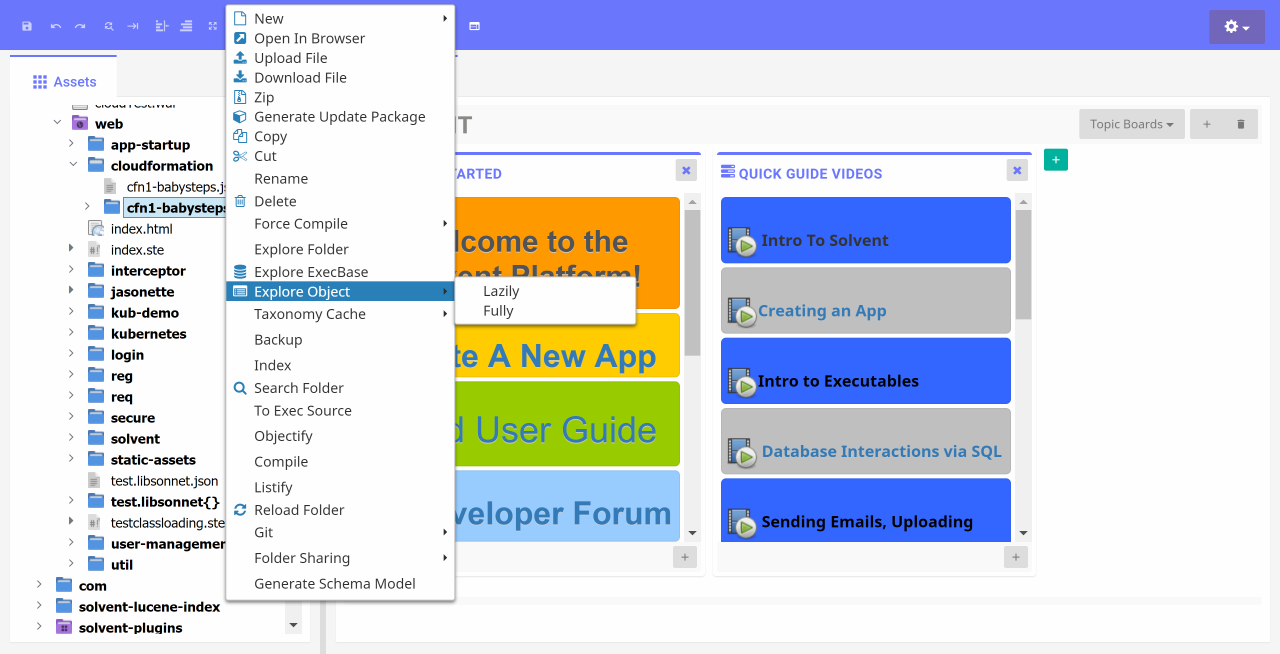
After and object has been created or imported, it can be loaded for further editing via right click on the object folder and selecting Explore Object==>(Lazily or Fully).
Note that Configr designate folders that end in {} or [] to be object graphs. When importing external files, the file system structure that is generated is labeled in similar fashion.
From this view, you edit the object graph both by editing individual objects and by manipulated the navigational view such as drag-n-drop, copy/paste, delete..etc. Simply right click on any node to perform available actions.
Managing Object Graphs
Configr object management aims to match the dexterity of a text evironment while facilitating the advanced capabilities that the object graph provides. Most object editing happens with the object editor on the right but the changes are reflected on the navigational view on the left. This makes working with Configr quite pleasant.
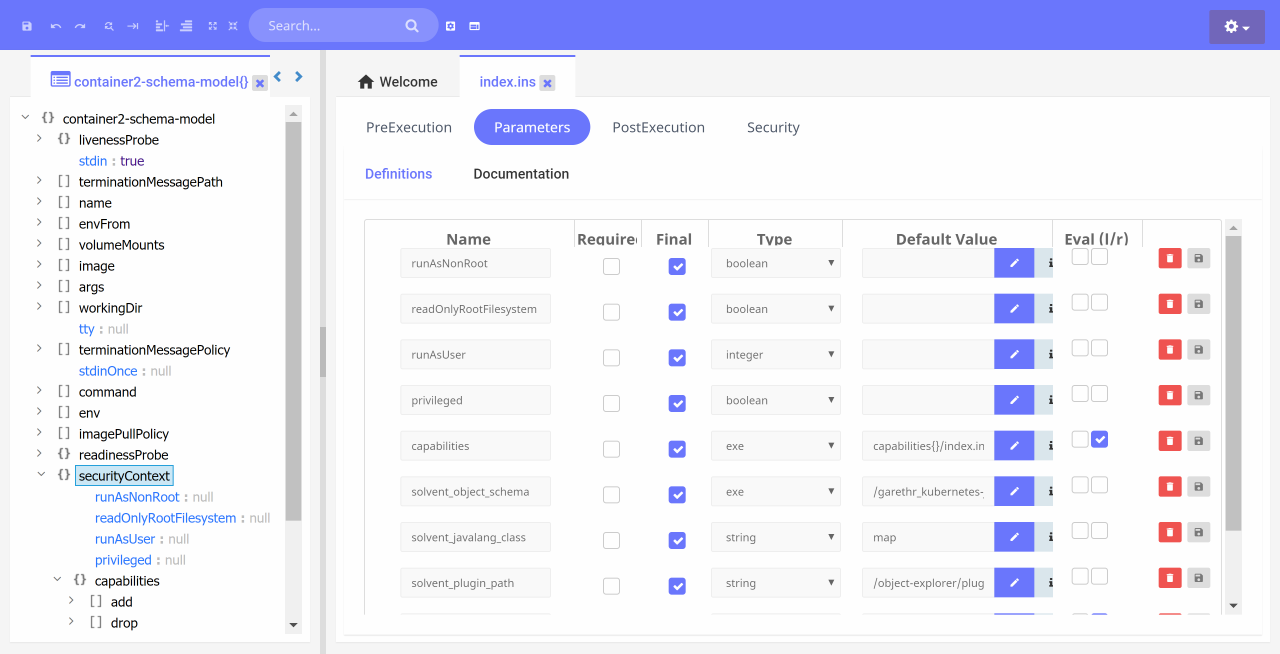
Navigating the graph
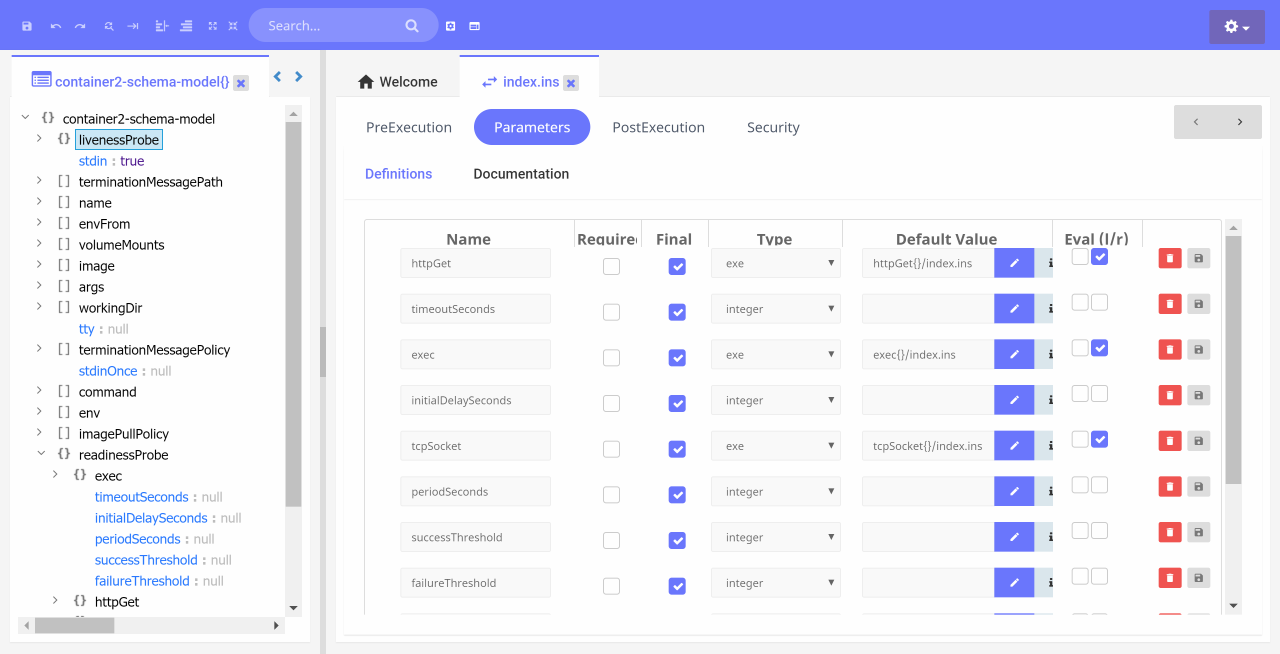
Every object node can be opened simply by clicking on it. It is also possible to navigate a graph in a single tab view without having a new tab open for every node. To open a pin view that allows for in-place navigation, right click on an object node and select Open In Pinned Tab.
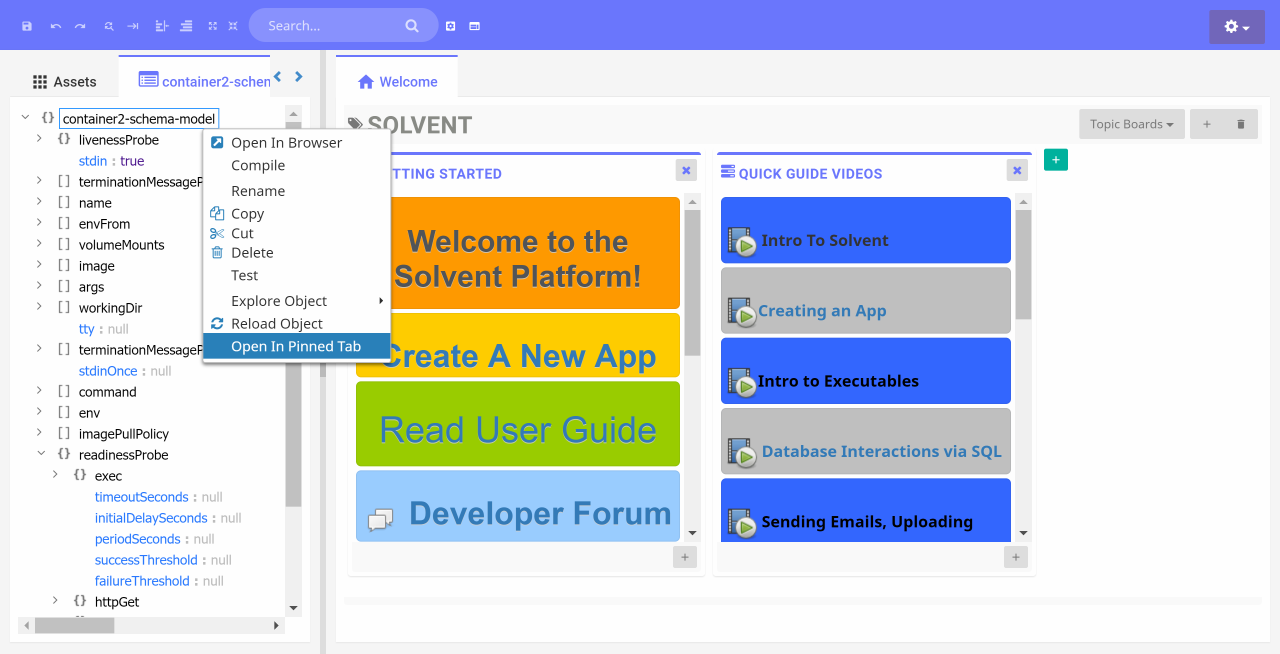
Once the graph is opened in a pinned tab, user can navigate up and down the graph in one view. Note that only one pinned tab can be open by graph.
Object Graph Schemas
Configr supports schemas using JSON schema specs. If a JSON file is
imported as an object graph
and that file is recognized as a JSON schema (ie with a property $schema), it will process
the schema and expand all $ref to create a complete object graph representation of the
schema.
All schemas should be placed in the standard application directory solvent/object-explorer-schemas, including imported JSON schemas.
A schemas can be placed in any sub-directories of the aforementioned base directory and Configr will be able to locate it.
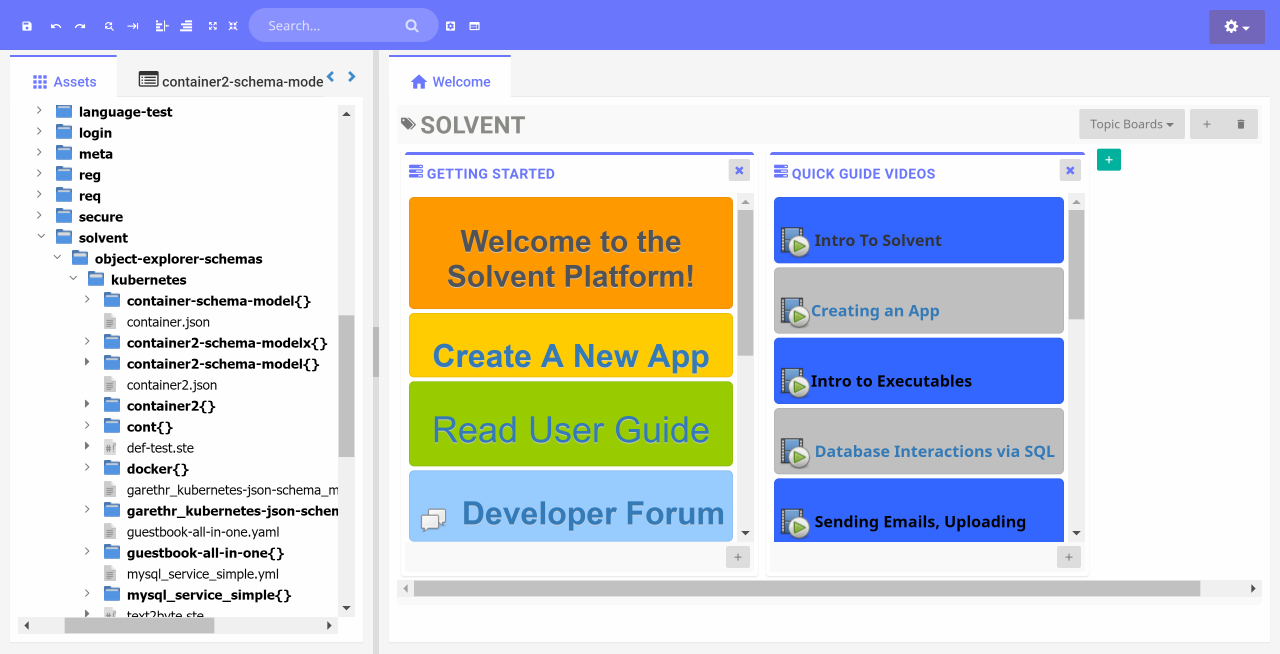
Schemas are also object graphs so everything that applies to object graphs applies to schemas.
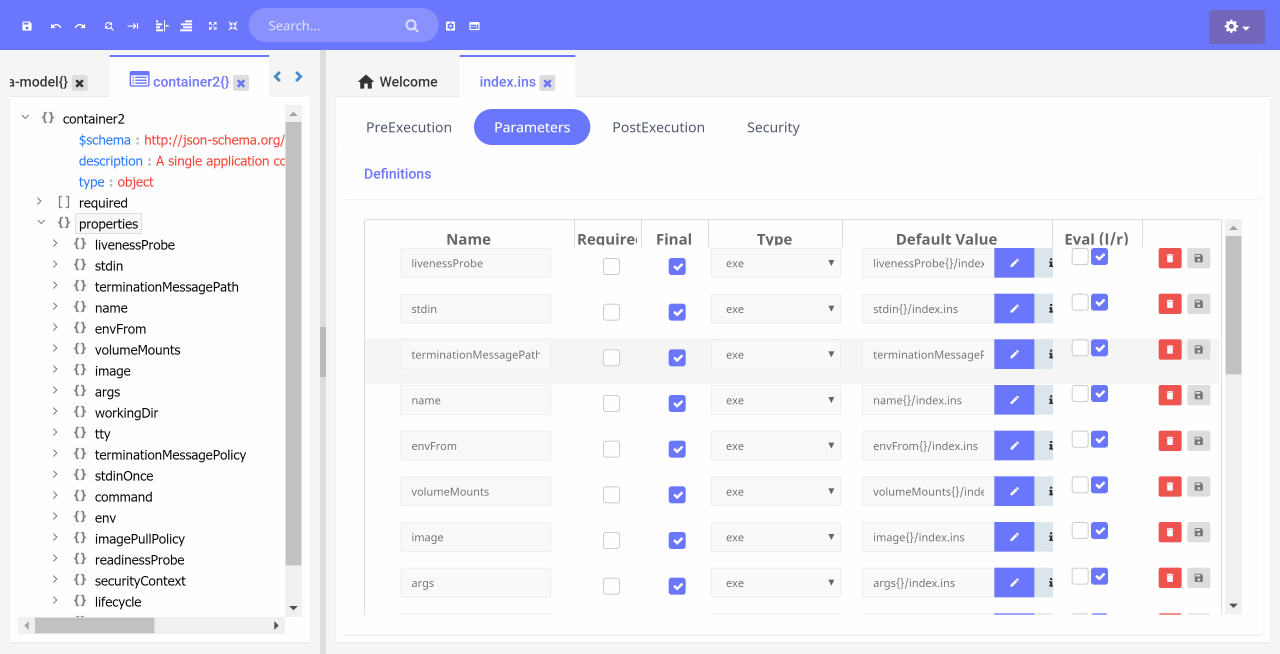
Enabling Schemas On An Object
An object references a schema by setting a platform parameter solvent_object_schema.
In general this parameter is set by Configr when new objects are created and associated with a schema, it should not require direct user manipulation.
The value of this parameter is the path of the schema relative to the directory that contains the root schema.
In other words it would be the full path of the schema starting at the root of the schema but not including
the file system location of the schema itself.
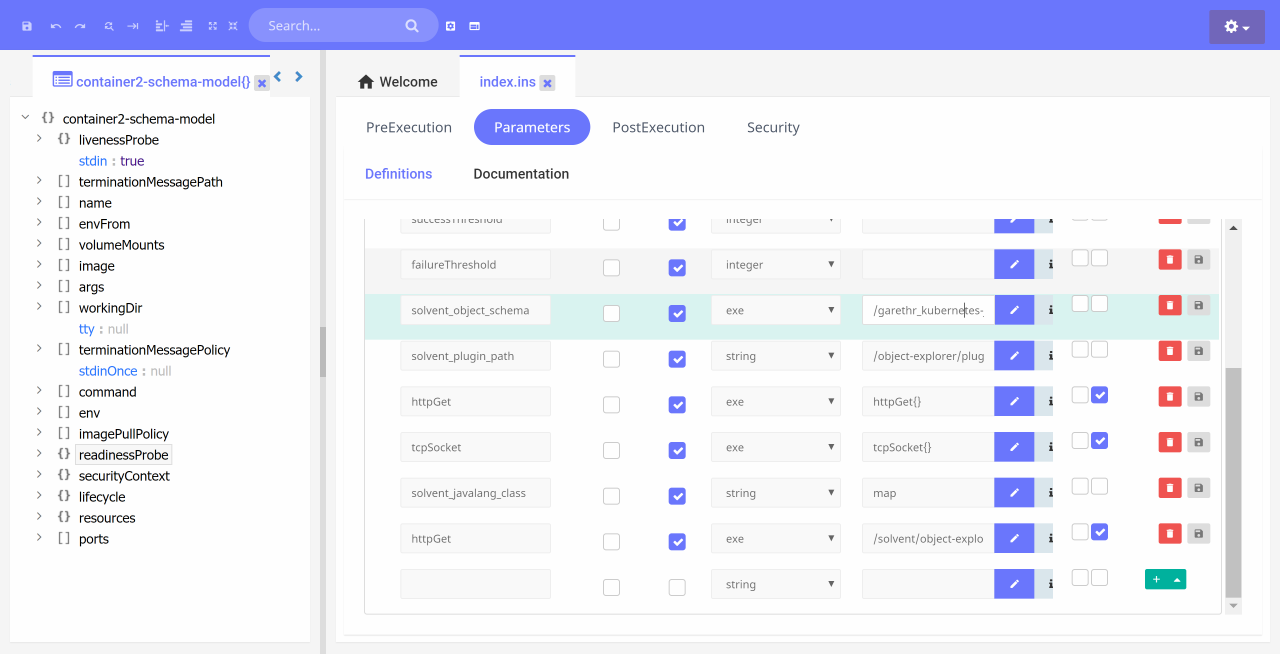
Creating Objects With Schemas
When a new object is created, it can be tied to an existing schema by selecting the suitable object type.
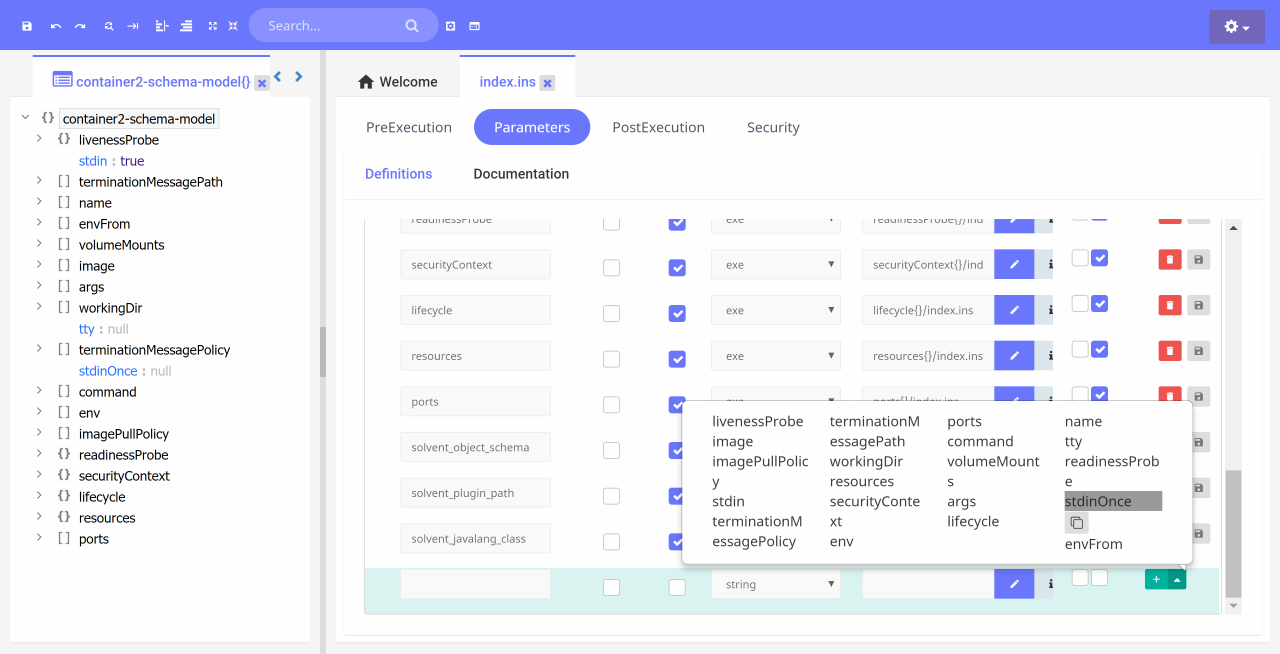
Auto-complete via Schemas
Configr's schema support allows for objects to be created using auto-complete to perform lookup on available properties. At the moment there is no support for object validation but that will be added in upcoming versions of Configr.
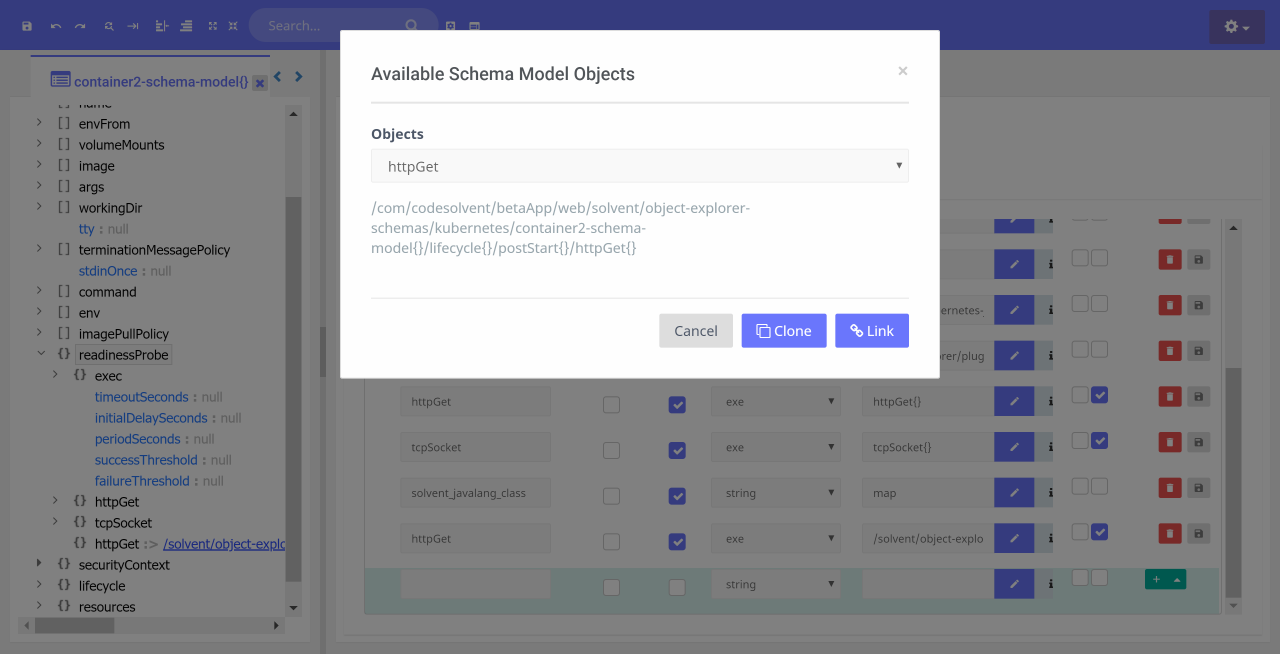
Cloning or Linking via auto-complete
When creating new objects via auto-complete, user has the option of either cloning an existing object of the same schema type or linking to such an object without cloning it into the current object graph file system structure.
Programming
In addition to the challenge of dealing with complex hierarchical information expressed in JSON, YAML,XML..ect, there is also the problem with these formats being static.
In other words you can only statically specify information in JSON or YAML without a default ability to generate dynamic/programmable values. New templating languages such as jsonnet,ksonnet,hocon..etc have been developed to handle this challenge with various strengths and weaknesses.
Configr is based on the construction and execution of an object graph, this gives it incredible power when it comes to runtime value generation. Information can come from a full templating language, from a piece of code in any of the languages the Solvent platform supports, from a database or from user supplied parameters.
To state simply, there is no limitation to how you can incorporate runtime behaviour and data into a Configr object graph.
Dependency Resolution
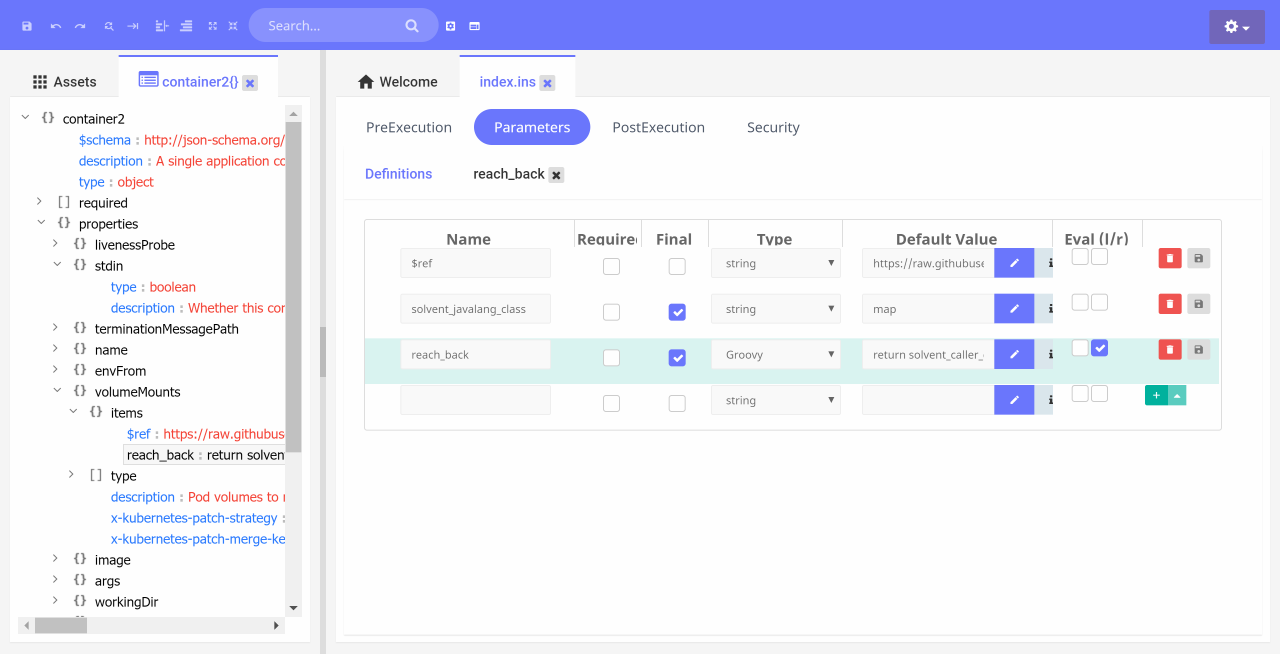
During the execution of an object graph, it is possible for the current object to "reach back" up the graph to aquire a value that has been computed. This feature is a mechanism for establishing a dependency relationship during the execution of the graph and gives it a powerful capability.
During the execution of an object, its caller's arguments map
is accessible via the solvent_caller_context environment parameter. Using this map,
an object can reach back up its graph to access dependencies.
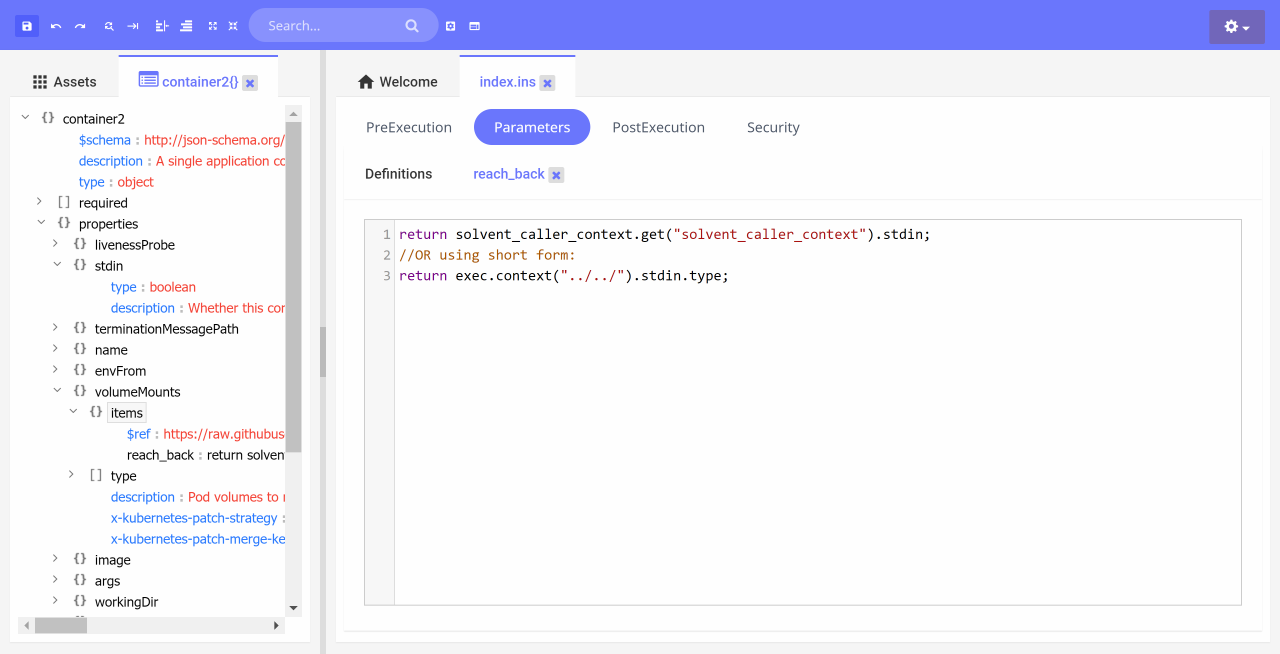
Given the example noted above, the parameter reach_back would now point to the same object as stdin, which is two levels above, thus establishing a dependency relationship that can be resolved at runtime.
Schema Extensions
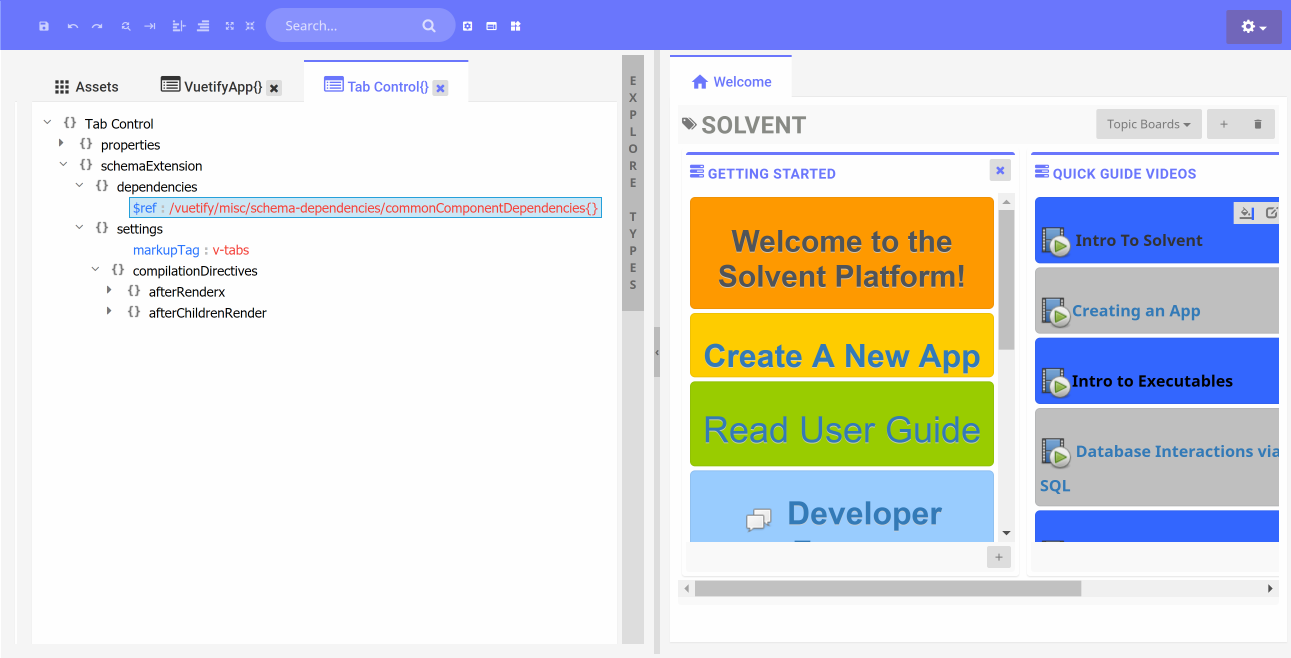
Schema Extensions are extensions to standard JSON schemas to support additional functionality
in Configr. Within Configr, any schema can have an additional property schemaExtension.
Schema Extension Structure
- dependencies
- data
- events
- onCreateObject
- onSchemaResolved
- settings
Schema Events
Currently two schema events are supported. A schema can register for these events by specifying them as noted above.
Events can trigger the execution of actions.
onCreateObject is triggered when a new object is created.
The following actions are currently available for this event.
Think of this event as a constructor that can be leveraged to fully configure a newly created
object.
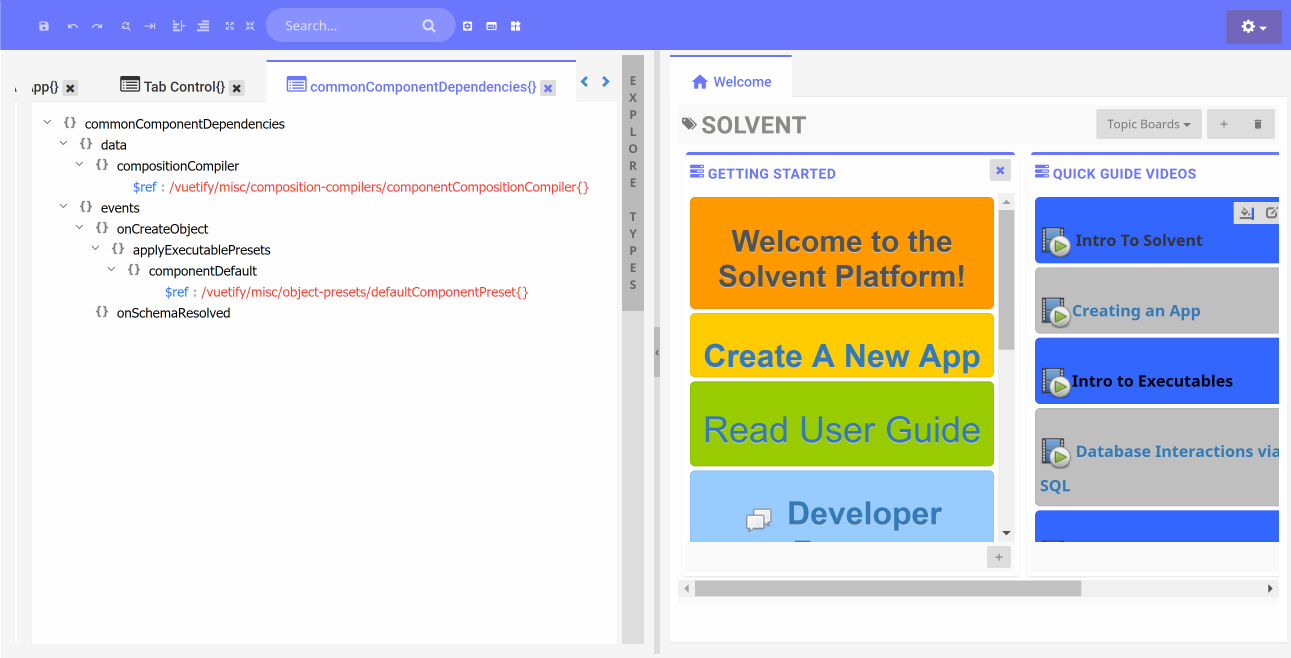
applyExecutablePresets
This action is a way to specify presets for Solvent smart objects, ie you can specify presets for parameters, pre/post execution, security. This action for now is supported as an action for the schemaExtension.dependencies.events.onCreateObject event.
There can be as many presets as needed, each preset needs to be constructed in the format of Solvent executable core elements (parameters, pre/post execution, security). Look at any Solvent executable json file for an example of the format.
-
runScripts
This action allows for a set of server-side scripts to run after an object is created.
-
createObjects
This action is used to create additional objects based on the creation of a given object. This can be used basically to construct dependencies and settings for an object. For instance if a user creates an object that represents a UI toolbar, the schema designer may want a title object to be automatically created.
onSchemaResolved is triggered when
a schema has been resolved, typically this is after $ref path has been resolved
into the actual schema.The following actions are currently available for this event.
-
importProperties
This action is a way to combine properties from two schemas into one resultant property set. This action for now is supported as an action for the schemaExtension.dependencies.events.onSchemaResolved event.
-
deriveFromSchemas
This action is a way to combine multiple schemas into one resultant schema. In effect it is an inheritance mechanism implemented as an object composition of all parent schemas. The schemas are combined from first to last, with the referencing schema providing the final override for any parent supplied properties.
This action for now is supported as an action for the schemaExtension.dependencies.events.onSchemaResolved event.
Schema Inheritance
Configr supports two schema inheritance mechanisms, property inheritance and full
schema inheritance as specified by importProperties and deriveFromSchemas.
Both mechanisms are implemented as object compositions (aka mixins). Imported properties are
copied into the destination schema properties object.
Derived schemas are merged into the destination schema via a deep merge of all
properties (ie javascript fields) in the schema being derived from into the schema that is deriving.
The end result of a schema deriving from another schema is that the resulting schema will have all fields present in either schemas, when a field is present in both schemas, the child schema's value takes precedences. A schema can derive from multiple schemas, in which case the object merge will be done from first to last, with the child schema's field values taking precedence.
$ref with super powers
Where as the standard JSON schema spec has specific places where $ref can be expected, ie mainly to
serve as pointers to schema definitions, in Configr schema extensions, $ref can be
used in many more ways. In particular, $ref is used to allow for sharing
any object definition, ie not just schema definitions. This allows for schema based solutions to
share artifacts in more generic way.
Path traversal with $ref
$ref supports both absolute and relative paths. It handles path traversal slightly
differently, by default when you use /../ to climb to the parent directory,
Configr will apply this traversal relative to the top-most object in the given graph.
To force Configr to apply the traversal relative to the current object, start the path with
./, ie a path that looks like ./../../object{}/object{}
The reason for the Configr approach is to prevent too many .. when traversing
within a deep object structure in order to reach outside the object structure.
schemaExtension.dependencies.data
Currently this can be thought of as a way to share data with schemas. Currently there are no platform level data elements but that will change as the Configr platform evolves.
schemaExtension.settings
schemaExtension.settings can be used for certain application specific needs. There
are no Configr platform specific needs yet but that may change in the future.